
Knowledge Base
How to change default search engine on Mullvad Browser
- On the top right hand corner, click the the three lined ( ☰ ) icon.
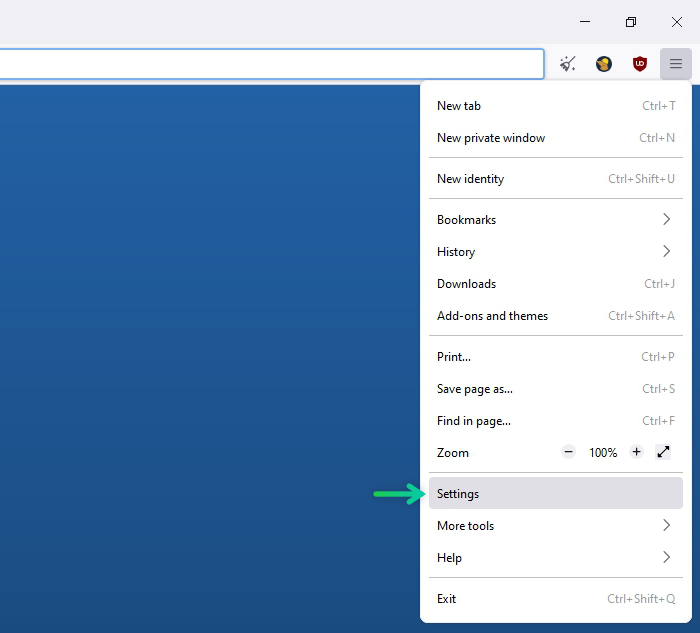
- Select “Settings“
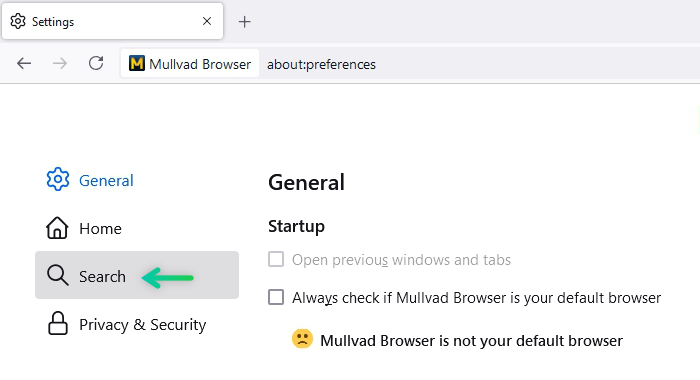
- On the left navigation menu, select “Search“
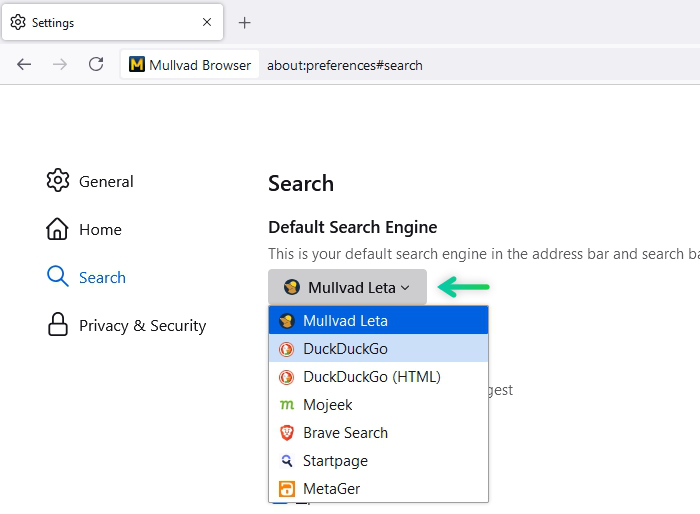
- Under “Default Search Engine” select your desired search engine
- Now you can open a new tab and close the settings tab. The settings should be saved automatically.